Deprecated: optional(): Implicitly marking parameter $callback as nullable is deprecated, the explicit nullable type must be used instead in /www/wwwroot/desney.billts.it.com/vendor/illuminate/support/helpers.php on line 190

Deprecated: with(): Implicitly marking parameter $callback as nullable is deprecated, the explicit nullable type must be used instead in /www/wwwroot/desney.billts.it.com/vendor/illuminate/support/helpers.php on line 430

Deprecated: Jenssegers\Blade\Blade::__construct(): Implicitly marking parameter $container as nullable is deprecated, the explicit nullable type must be used instead in /www/wwwroot/desney.billts.it.com/vendor/jenssegers/blade/src/Blade.php on line 34

Deprecated: Illuminate\Container\Container::beforeResolving(): Implicitly marking parameter $callback as nullable is deprecated, the explicit nullable type must be used instead in /www/wwwroot/desney.billts.it.com/vendor/illuminate/container/Container.php on line 1151

Deprecated: Illuminate\Container\Container::resolving(): Implicitly marking parameter $callback as nullable is deprecated, the explicit nullable type must be used instead in /www/wwwroot/desney.billts.it.com/vendor/illuminate/container/Container.php on line 1171

Deprecated: Illuminate\Container\Container::afterResolving(): Implicitly marking parameter $callback as nullable is deprecated, the explicit nullable type must be used instead in /www/wwwroot/desney.billts.it.com/vendor/illuminate/container/Container.php on line 1191

Deprecated: Illuminate\Container\Container::setInstance(): Implicitly marking parameter $container as nullable is deprecated, the explicit nullable type must be used instead in /www/wwwroot/desney.billts.it.com/vendor/illuminate/container/Container.php on line 1430

Deprecated: Illuminate\Contracts\Container\Container::beforeResolving(): Implicitly marking parameter $callback as nullable is deprecated, the explicit nullable type must be used instead in /www/wwwroot/desney.billts.it.com/vendor/illuminate/contracts/Container/Container.php on line 200

Deprecated: Illuminate\Contracts\Container\Container::resolving(): Implicitly marking parameter $callback as nullable is deprecated, the explicit nullable type must be used instead in /www/wwwroot/desney.billts.it.com/vendor/illuminate/contracts/Container/Container.php on line 209

Deprecated: Illuminate\Contracts\Container\Container::afterResolving(): Implicitly marking parameter $callback as nullable is deprecated, the explicit nullable type must be used instead in /www/wwwroot/desney.billts.it.com/vendor/illuminate/contracts/Container/Container.php on line 218

Deprecated: Illuminate\View\FileViewFinder::__construct(): Implicitly marking parameter $extensions as nullable is deprecated, the explicit nullable type must be used instead in /www/wwwroot/desney.billts.it.com/vendor/illuminate/view/FileViewFinder.php on line 53

Deprecated: Illuminate\Support\Traits\Conditionable::when(): Implicitly marking parameter $callback as nullable is deprecated, the explicit nullable type must be used instead in /www/wwwroot/desney.billts.it.com/vendor/illuminate/conditionable/Traits/Conditionable.php on line 21

Deprecated: Illuminate\Support\Traits\Conditionable::when(): Implicitly marking parameter $default as nullable is deprecated, the explicit nullable type must be used instead in /www/wwwroot/desney.billts.it.com/vendor/illuminate/conditionable/Traits/Conditionable.php on line 21

Deprecated: Illuminate\Support\Traits\Conditionable::unless(): Implicitly marking parameter $callback as nullable is deprecated, the explicit nullable type must be used instead in /www/wwwroot/desney.billts.it.com/vendor/illuminate/conditionable/Traits/Conditionable.php on line 53

Deprecated: Illuminate\Support\Traits\Conditionable::unless(): Implicitly marking parameter $default as nullable is deprecated, the explicit nullable type must be used instead in /www/wwwroot/desney.billts.it.com/vendor/illuminate/conditionable/Traits/Conditionable.php on line 53

Deprecated: Illuminate\Support\Arr::first(): Implicitly marking parameter $callback as nullable is deprecated, the explicit nullable type must be used instead in /www/wwwroot/desney.billts.it.com/vendor/illuminate/collections/Arr.php on line 188

Deprecated: Illuminate\Support\Arr::last(): Implicitly marking parameter $callback as nullable is deprecated, the explicit nullable type must be used instead in /www/wwwroot/desney.billts.it.com/vendor/illuminate/collections/Arr.php on line 219

Deprecated: Illuminate\Events\Dispatcher::__construct(): Implicitly marking parameter $container as nullable is deprecated, the explicit nullable type must be used instead in /www/wwwroot/desney.billts.it.com/vendor/illuminate/events/Dispatcher.php on line 75

Deprecated: Illuminate\View\Compilers\BladeCompiler::anonymousComponentPath(): Implicitly marking parameter $prefix as nullable is deprecated, the explicit nullable type must be used instead in /www/wwwroot/desney.billts.it.com/vendor/illuminate/view/Compilers/BladeCompiler.php on line 811

Deprecated: Illuminate\View\Compilers\BladeCompiler::anonymousComponentNamespace(): Implicitly marking parameter $prefix as nullable is deprecated, the explicit nullable type must be used instead in /www/wwwroot/desney.billts.it.com/vendor/illuminate/view/Compilers/BladeCompiler.php on line 833

Deprecated: Illuminate\View\View::render(): Implicitly marking parameter $callback as nullable is deprecated, the explicit nullable type must be used instead in /www/wwwroot/desney.billts.it.com/vendor/illuminate/view/View.php on line 156

Deprecated: Illuminate\View\Engines\CompilerEngine::__construct(): Implicitly marking parameter $files as nullable is deprecated, the explicit nullable type must be used instead in /www/wwwroot/desney.billts.it.com/vendor/illuminate/view/Engines/CompilerEngine.php on line 42

Deprecated: Illuminate\Support\Str::createRandomStringsUsing(): Implicitly marking parameter $factory as nullable is deprecated, the explicit nullable type must be used instead in /www/wwwroot/desney.billts.it.com/vendor/illuminate/support/Str.php on line 962

Deprecated: Illuminate\Support\Str::createUuidsUsing(): Implicitly marking parameter $factory as nullable is deprecated, the explicit nullable type must be used instead in /www/wwwroot/desney.billts.it.com/vendor/illuminate/support/Str.php on line 1667

Deprecated: Illuminate\Support\Str::freezeUuids(): Implicitly marking parameter $callback as nullable is deprecated, the explicit nullable type must be used instead in /www/wwwroot/desney.billts.it.com/vendor/illuminate/support/Str.php on line 1712

Deprecated: Illuminate\Support\Str::createUlidsUsing(): Implicitly marking parameter $factory as nullable is deprecated, the explicit nullable type must be used instead in /www/wwwroot/desney.billts.it.com/vendor/illuminate/support/Str.php on line 1774

Deprecated: Illuminate\Support\Str::freezeUlids(): Implicitly marking parameter $callback as nullable is deprecated, the explicit nullable type must be used instead in /www/wwwroot/desney.billts.it.com/vendor/illuminate/support/Str.php on line 1819
Galaxy S8ホーム画面設定完全攻略!消えたアプリの戻し方と裏ワザ

Galaxy S8ホーム画面設定完全攻略!消えたアプリの戻し方と裏ワザ

目次
Galaxy S8ホーム画面設定完全攻略!消えたアプリの戻し方と裏ワザ
@ creator • Click to Play Video Inline
🎵 Galaxy S8ホーム画面設定完全攻略!消えたアプリの戻し方と裏ワザ

今なお美しい有機ELディスプレイと持ちやすいスリムボディで、サブ機やメディアプレイヤーとして根強い人気を誇るGalaxy S8。しかし、ふとした操作でレイアウトが崩れたり、「あるはずのアプリが画面から消えてしまった」という不意のトラブルに戸惑うユーザーは後を絶ちません。

快適な操作性を取り戻す鍵は、端末本来のポテンシャルを引き出すディスプレイ設計の最適化にあります。見失ったアイコンの復旧手順から、画面を広く使うレイアウト変更の裏ワザ、2026年の活用シーンに即した実用的なカスタマイズまでを詳しく解き明かします。

📌 【この記事の重要ポイントまとめ】
  • 要点1:「アプリが消えた」現象は、ドロワー設定や「かんたんモード」への誤切り替え、非表示設定の解除で即座に修復できる。
  • 要点2:グリッド数の変更とレイアウトロックを活用すれば、誤操作を防ぎつつ18.5:9縦長画面の表示情報量を最大化できる。
  • 要点3:One UIのホーム設定やナビゲーションバーの配置を見直すことで、片手操作の利便性が飛躍的に向上する。

【原因究明】Galaxy S8のホーム画面が使いづらい理由と「アプリが消えた」トラブルの真相
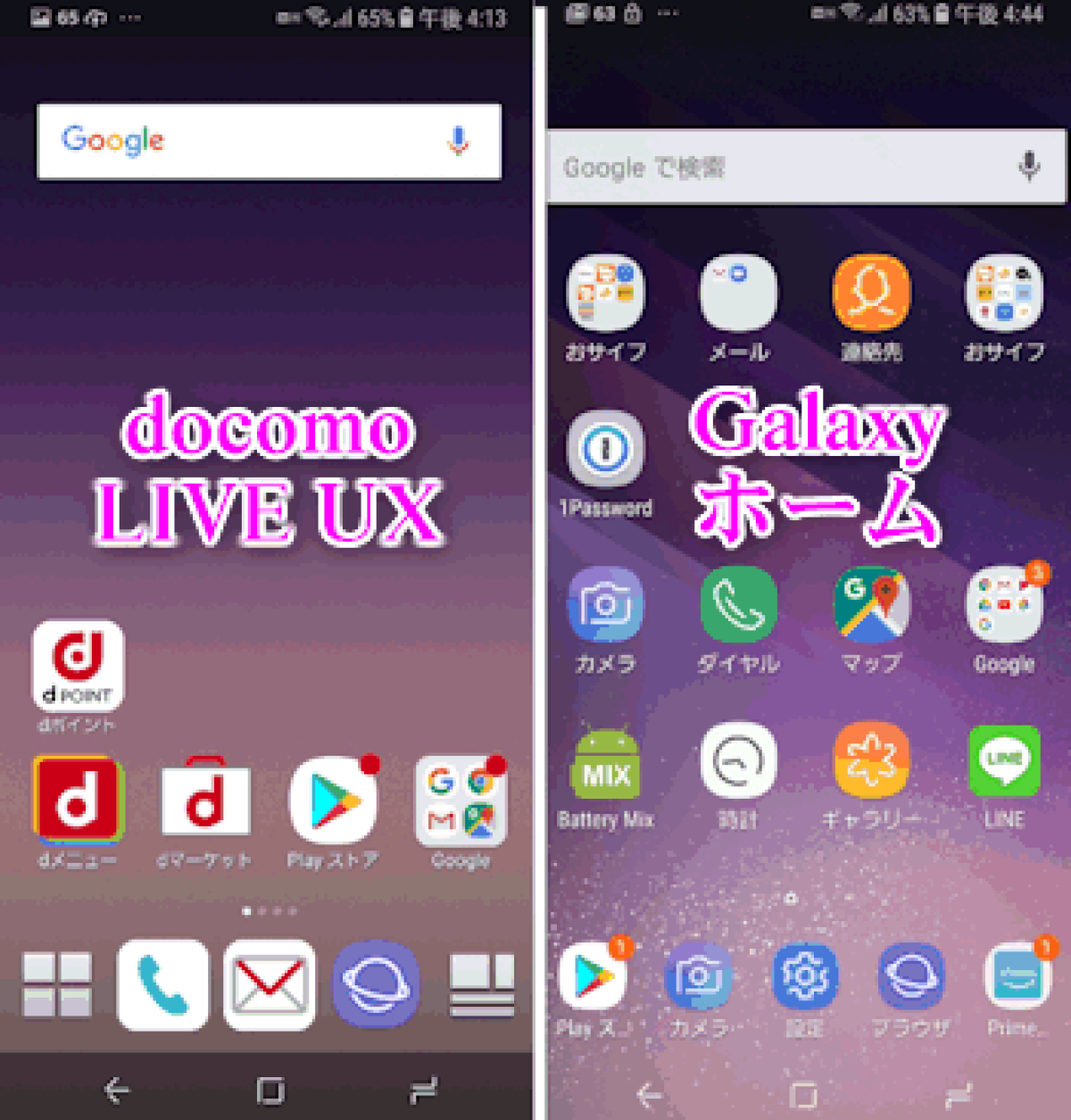
galaxy s8 ホーム 画面

Galaxy S8を使っていて「急にホーム画面のアプリが消えた」「画面の様子が変わって操作しづらい」と感じた場合、端末の故障ではなく特定の表示モードや非表示設定の誤作動が原因であることが大半です。

代表的な要因として挙げられるのが、シニア向けに設計された「かんたんモード」への意図しない移行です。このモードが有効になると、アイコンが極端に巨大化し、配置されていたウィジェットやアプリ一覧が隠れてしまいます。元に戻すには、設定アプリから「ディスプレイ」を開き、Galaxy S8のかんたんモード解除(「標準モード」を選択して適用)を行うだけで、本来の画面構成が一瞬で復活します。

また、アンインストールしていないのに特定のアプリアイコンだけが見当たらないときは、ホーム設定内の非表示リストに入っているケースが目立ちます。ホーム画面の余白を長押しして「ホーム画面設定」を開き、「アプリを非表示」の項目を確認してください。チェックが入っているアプリの選択を解除すれば、Galaxy S8で消えたアプリを元に戻す作業は完了です。

【快適化の基本】Galaxy S8のホーム画面設定とレイアウト固定の活用術
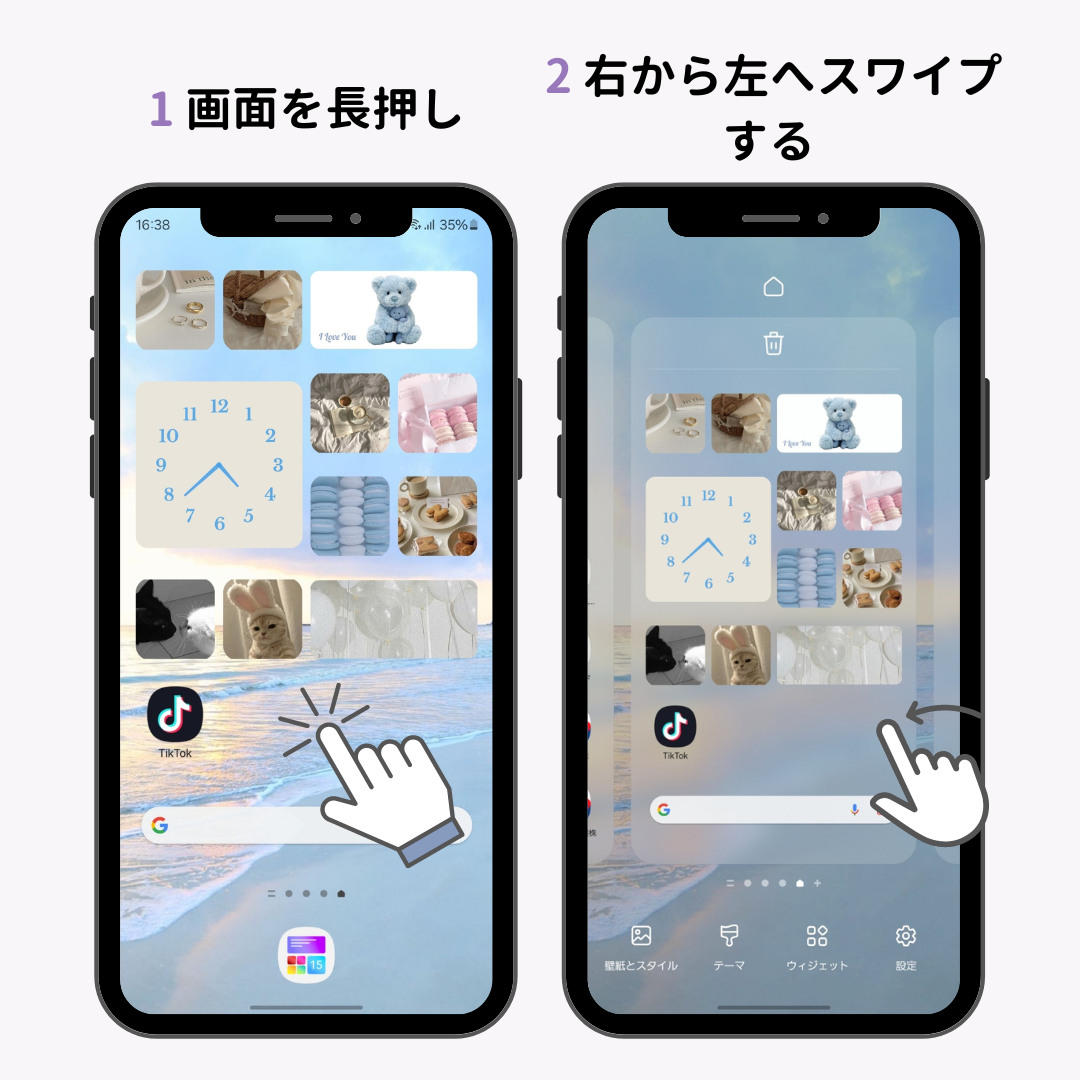
galaxy s8 ホーム 画面

Galaxy S8をストレスなく使いこなす第一歩は、土台となるGalaxy S8のホーム画面設定を自分の利用スタイルに合わせて整えることです。初期状態では画面を上下にスワイプしてアプリ一覧(ドロワー)を呼び出す仕様ですが、従来のAndroidのようにボタンで一覧を開きたい場合は設定変更が欠かせません。

ホーム画面設定内の「アプリボタン」を有効化すると、画面右下に専用アイコンが配置され、Galaxy S8のアプリ一覧表示方法をワンタップで呼び出せるクラシックな操作系へと切り替えられます。すべてのアプリをiPhoneのようにホーム画面上に並べたい場合は、「ホーム画面のレイアウト」から「ホーム画面のみ」を選択するのも有効な選択肢です。

日々の利用で頻繁に起こる「ポケットの中でアイコンの位置が勝手にズレる」「誤ってショートカットを削除してしまう」というトラブルには、Galaxy S8のホーム画面レイアウト固定機能が役立ちます。「ホーム画面のレイアウトをロック」をオンにしておけば、長押しによる意図しない移動や削除を完全に防止できます。

不要になったページの整理も操作スピードに直結します。ホーム画面をピンチイン(2本指でつまむ操作)して編集画面に入れば、Galaxy S8のページ追加と削除が直感的に行えます。画面左端に配置されている情報パネル(Bixby Homeなど)を使わない場合は、上部のトグルスイッチをオフにするだけで無駄な読み込みを遮断できます。

【画面の広さを最大化】グリッド数変更とウィジェット追加の黄金比

galaxy s8 ホーム 画面

Galaxy S8の大きな魅力である縦長アスペクト比「18.5:9」のインフィニティディスプレイは、配置するアプリアイコンの密度を最適化することで真価を発揮します。標準の4×5配列のままでは余白が大きく、設置できるアプリ数が制限されてしまいます。

そこで実践したいのがGalaxy S8のグリッド数変更です。ホーム画面設定から「ホーム画面グリッド」を選択し、「4×6」「5×5」「5×6」の中から好みの密度を指定します。サブ機として動画視聴やSNS巡回をメインにするなら、5×6配列に設定して1ページ内に主要アプリをまとめ、スワイプの手間を最小限に抑える構成が適しています。

画面の利便性を左右するGalaxy S8のウィジェット追加にもセオリーが存在します。ホーム画面の余白長押しから「ウィジェット」を選び、Google検索バーや天気予報、音楽プレイヤーのコントローラーを配置する際、ウィジェットの境界線をドラッグして縦横のサイズを微調整するのがポイントです。透過度の調整に対応したウィジェットを活用すれば、背景の壁紙を邪魔することなく洗練されたレイアウトを構築できます。

【視覚と操作の一新】壁紙テーマ変更とナビゲーションバー設定の裏ワザ

有機ELパネルの特性を活かした視覚的カスタマイズと操作系の刷新は、端末への愛着を高めるだけでなくバッテリー消費の抑制にも直結します。Galaxy S8の壁紙テーマ変更では、Galaxy Themesストアから漆黒を基調としたダーク系テーマを適用するのがおすすめです。発光素子を消灯できる有機ELの性質により、ディスプレイ消費電力を大幅に抑えられます。

さらに操作感を劇的に変えるのがGalaxy S8のナビゲーションバー変更です。「設定」>「ディスプレイ」>「ナビゲーションバー」から、画面下部に並ぶ「履歴」「ホーム」「戻る」ボタンの配列を自在に入れ替えられます。他社製スマートフォンから乗り換えて「戻るボタンが右側にあると押しにくい」と感じる場合でも、左側配置へ即座に変更可能です。

画面を隅々まで広く使いたい場合は、従来のナビゲーションボタンを隠して下部からのスワイプで操作する「全画面ジェスチャー」への切り替えが威力を発揮します。下部のナビゲーションバー領域が完全に開放され、より没入感の高い全画面表示を堪能できます。

【2026年版まとめ】One UIホーム設定でGalaxy S8を長く快適に使う極意

長年にわたり進化を遂げてきたGalaxyシリーズですが、Galaxy S8に導入されたGalaxy S8のOne UIホーム設定は、完成された片手操作インターフェースとして今なお高い実用性を誇ります。画面上部に表示領域、下部に操作領域を集中させる設計思想は、現代の大画面スマートフォンと比較しても取り回しの良さが際立ちます。

スマートホームの専用操作パネルや車載用ナビゲーション、ハイレゾオーディオプレイヤーとしてGalaxy S8を再定義する場合、Galaxy S8の最新設定まとめとして以下の最適化を推奨します。

1つ目は「指紋センサーでのジェスチャー操作」の有効化です。背面センサーを上から下へなぞるだけで通知パネルを引き出せるため、画面上部まで指を伸ばす必要がなくなります。2つ目は「エッジスクリーン」機能の厳選です。画面端から引き出すランチャーに必要なツールだけを登録しておけば、ホーム画面自体を極限までシンプルに保てます。用途に合わせたGalaxy S8のホーム画面カスタマイズを施すことで、使い慣れた名機を極上の専用ギアへと昇華させることができます。

【Galaxy S8 ホーム画面】に関するよくある質問(FAQ)

Q1:ホーム画面からアプリのアイコンが勝手に消えました。どこから元に戻せますか?
A1:アンインストールされていない場合、アプリ一覧画面(ドロワー)に残っているか、「非表示アプリ」に登録されている可能性があります。画面を上下スワイプしてアプリ一覧を確認し、見つからない場合はホーム余白長押し >「ホーム画面設定」>「アプリを非表示」を開いてチェックを解除してください。画面全体が黄色っぽく巨大化している場合は「設定」>「ディスプレイ」から「かんたんモード」をオフにしてください。

Q2:ホーム画面のアプリ一覧ボタン(白い格子状のアイコン)を出すにはどうすればいいですか?
A2:ホーム画面の何もない場所を長押しし、右下の「ホーム画面設定」をタップします。メニュー内にある「アプリボタン」の項目を見つけて「アプリボタンを表示」をオンに切り替えると、画面右下に従来のドロワーボタンが配置されます。

Q3:ホーム画面のアイコンが勝手に動かないようにロックできますか?
A3:はい、固定可能です。ホーム画面の余白を長押しして「ホーム画面設定」を開き、「ホーム画面のレイアウトをロック」をオンにしてください。この設定を有効にすると、アイコンの移動やウィジェットの削除操作が無効化され、誤操作によるレイアウト崩れを防げます。

まとめ:自分好みのホーム画面で名機Galaxy S8をフル活用しよう

Galaxy S8のホーム画面は、柔軟なカスタマイズ性と扱いやすいサイズ感が見事に融合した完成度の高いシステムを備えています。表示崩れやアプリ紛失といったトラブルの多くは設定の見直しだけで即座に解決でき、レイアウト固定やグリッド調整を駆使すれば、日々の操作ストレスは一気に解消されます。

余分な要素を削ぎ落とし、自分の動線に最適化されたホーム画面を作り上げることで、手元にある端末は日常を支える頼もしいパートナーとして再び輝きを放ちます。基本設定から裏ワザまでを自在に組み合わせて、快適なモバイルライフを手に入れてください。 (出典: galaxy s8 ホーム 画面(Yahoo!ニュース)